Search for answers or browse our knowledge base.
Quiz Report
Overview
The file contains all applicable information from the quiz so that you can evaluate the data. Overview Reports provide a readable, tabular format of performance measurement data. The response report displays a summary of learner’s responses for a quiz.
Quiz Report
Click the Report option under the Admin(Dept) section.
Select the Quiz Reports option.
Overview Report
This report contains details like when the quiz was started when it was completed, the time is taken to complete a quiz, the state of the quiz, and the overall average grade.
Use the dropdown menu to find the choice of Course you want.
Then, use the next dropdown menu to find the choice of Quiz you want.
Select View Overview Report to obtain an overview report.
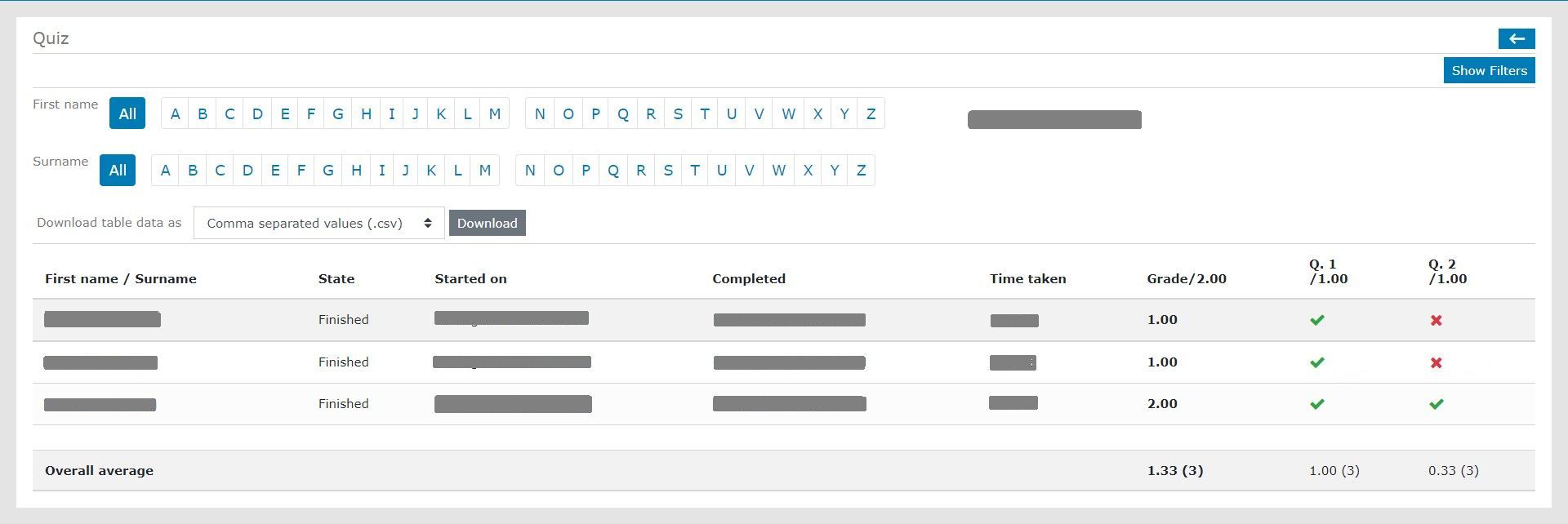
You can easily search a user by selecting the first letter of their First name or the first letter of their Surname by clicking the appropriate letter.
Use the dropdown menu to find the downloadable format of table data you want and then select Download to download your overview report.
Select Show Filters on the right side of the screen to filter your search.
Response Report
In this report the response for every question is recorded.
Use the dropdown menu to find the choice of Course you want.
Then, use the next dropdown menu to find the choice of Quiz you want.
Select View Response Report to obtain an overview report.
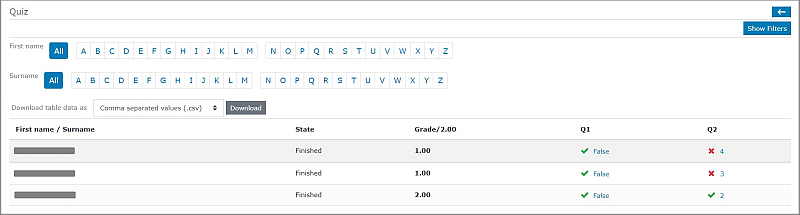
You can easily search a user by selecting the first letter of their First name or first letter of their Surname by clicking the appropriate letter.
Use the dropdown menu to find the downloadable format of table data you want and then select Download to download your response report.
Select Show Filters on right side of the screen to filter your search.