Search for answers or browse our knowledge base.
To document a Interview/Event conducted
This document provides the steps to document a scheduled event.
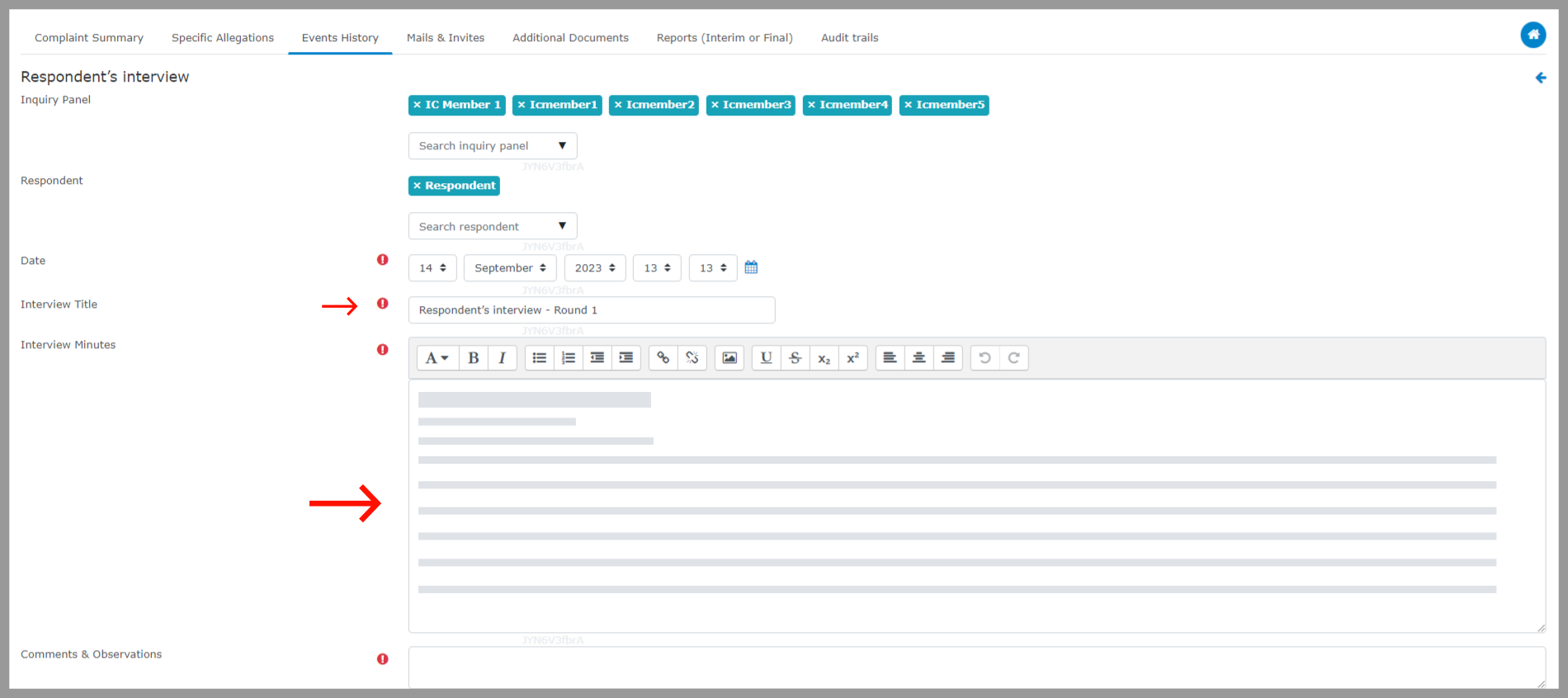
Step 1: Go to “Events History” and choose the “Conduct” option for the previously scheduled event.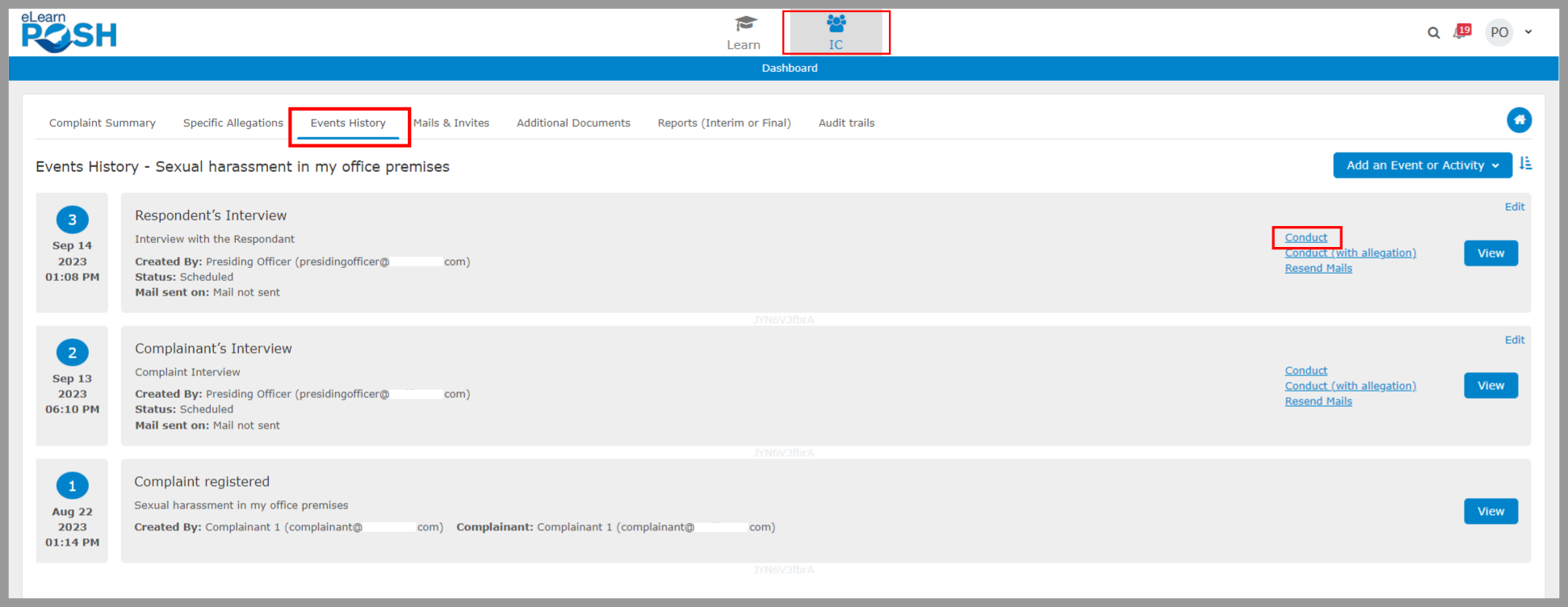 Step 2: Complete the meeting details, including the panel members who attended the event, date, title, interview notes for the event, and any comments if applicable.
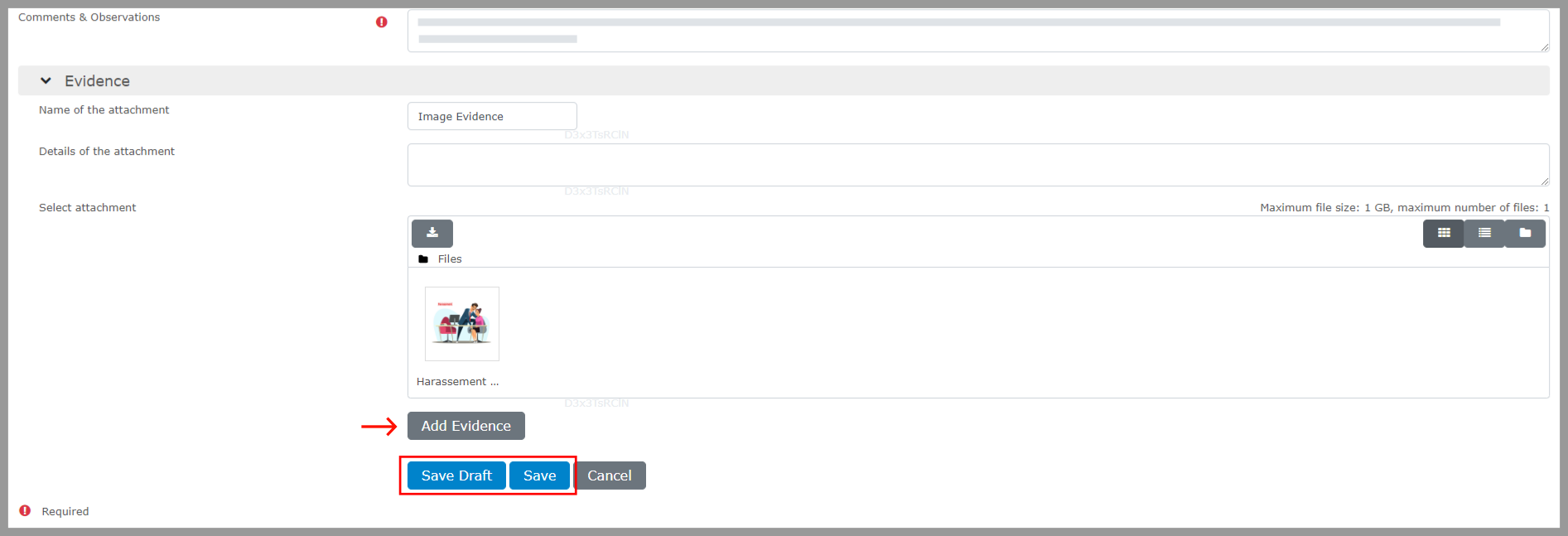
 Step 3: Include the details of the evidence and then select “Save.”
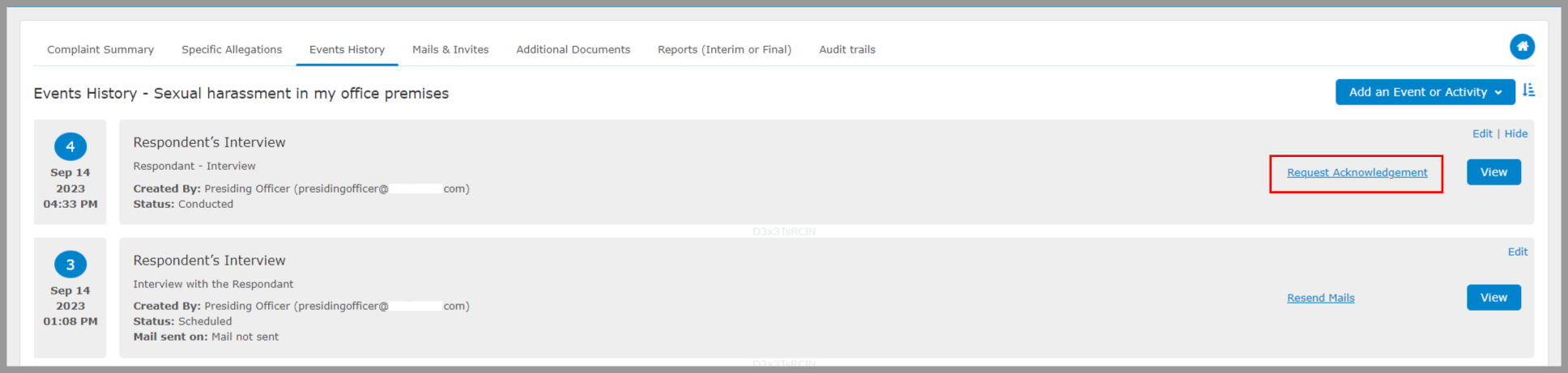
 After the inquiry panel has concluded the interview or event, the presiding officer can share the minutes of the meetings with the attendees. This action can guarantee that participants are adequately briefed on the meeting minutes and can inquire about any concerns they may have regarding the minutes. Click on the “Request Acknowledgement” option to send an email and collect acknowledgements from the attendees. If the attendees do not have any issue with the minutes of the meeting then they can acknowledge the minutes.
  Choose the users to whom the email has to be sent.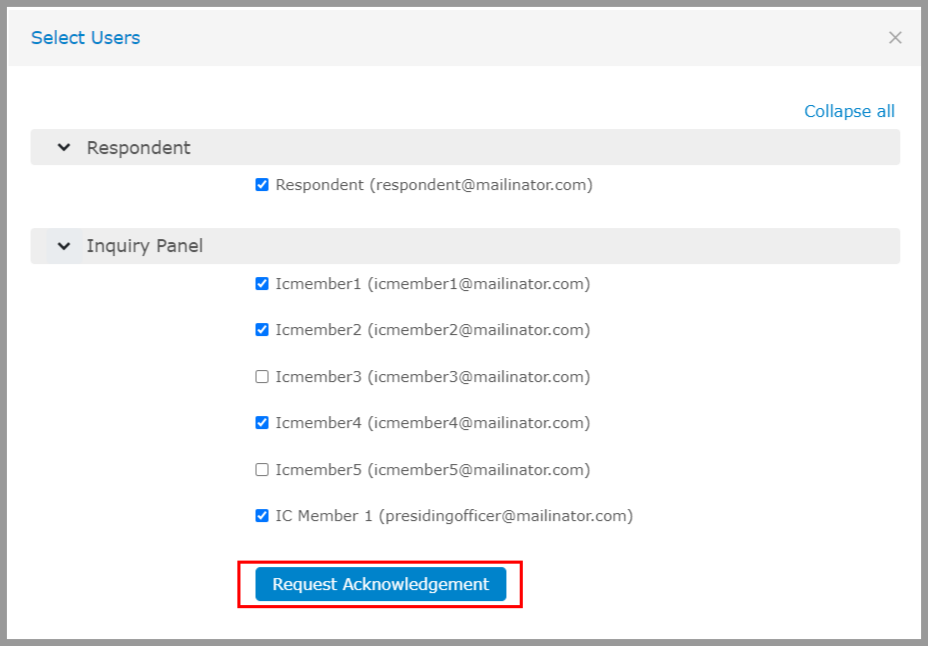
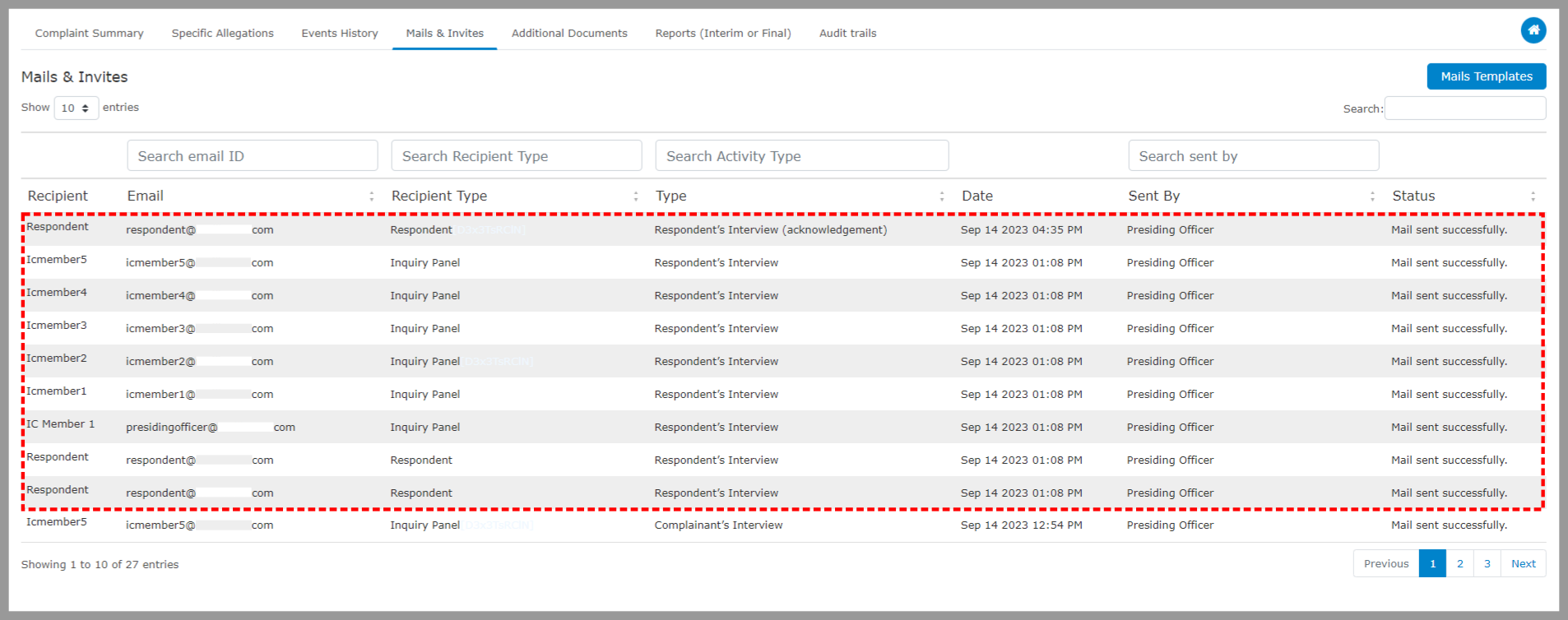
All the emails sent while handling a complaint will be listed and tracked under “Mails & Invites.”