Search for answers or browse our knowledge base.
To document a Conciliation Discussion
This document provides the steps to document a Conciliation Discussion.
Conciliation is a process of dispute resolution in which a neutral third party, known as a conciliator, assists individuals or parties in resolving their differences or conflicts through open communication and mutual agreement. In a conciliation process conducted in accordance with the POSH Act, 2013, the Internal Committee’s quorum has the authority to serve as the conciliator. The Internal Committee can initiate the conciliation process only when the complainant requests. Prior to commencing conciliation, the consent of both parties is required. Similar to the inquiry, maintaining confidentiality is crucial in the conciliation process as well.
Login to the Complaint Management System and view a complaint.
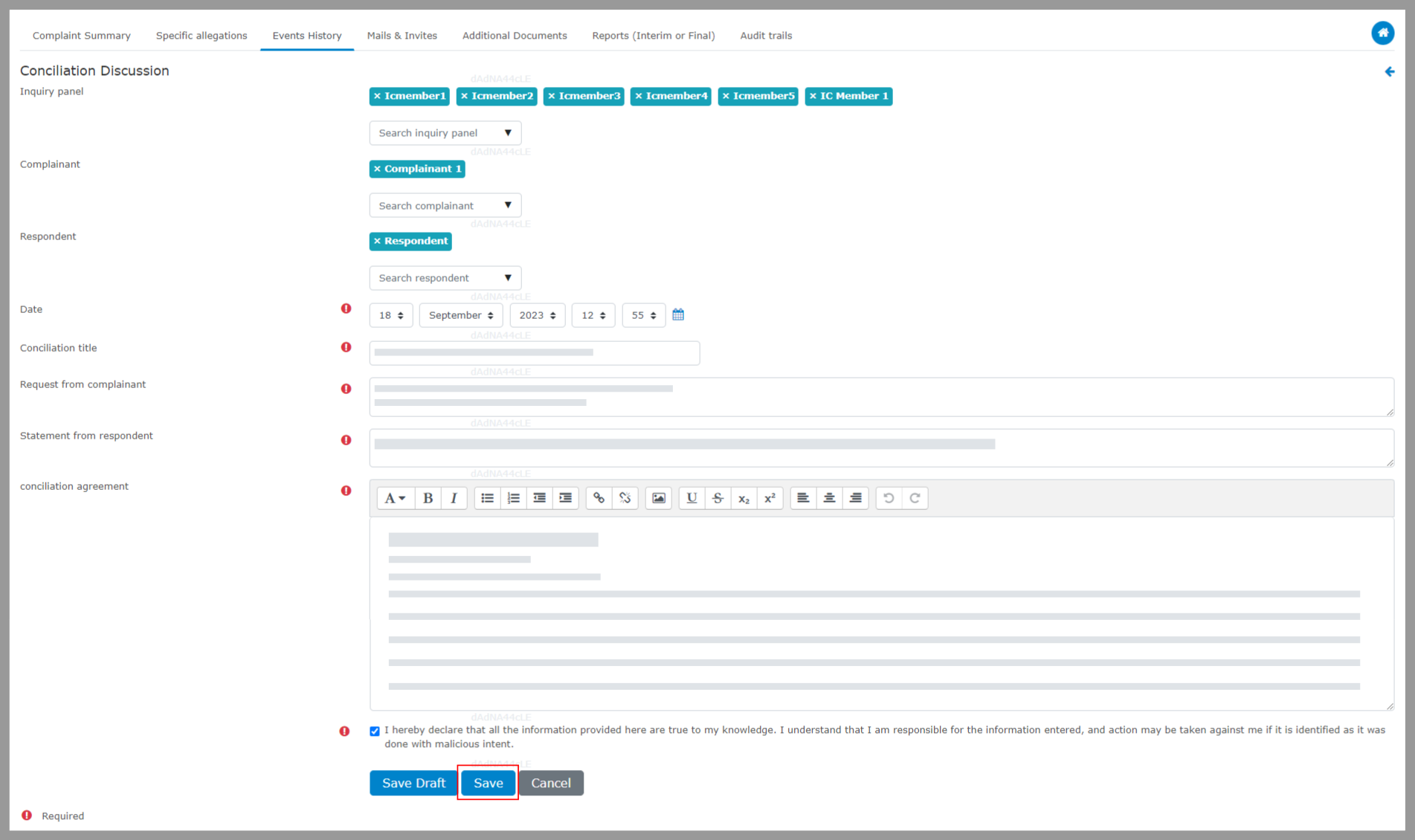
Step 1: Choose “Events History”, select “Document an Event” under “Add an Event or Activity” and then select “Conciliation Discussion”.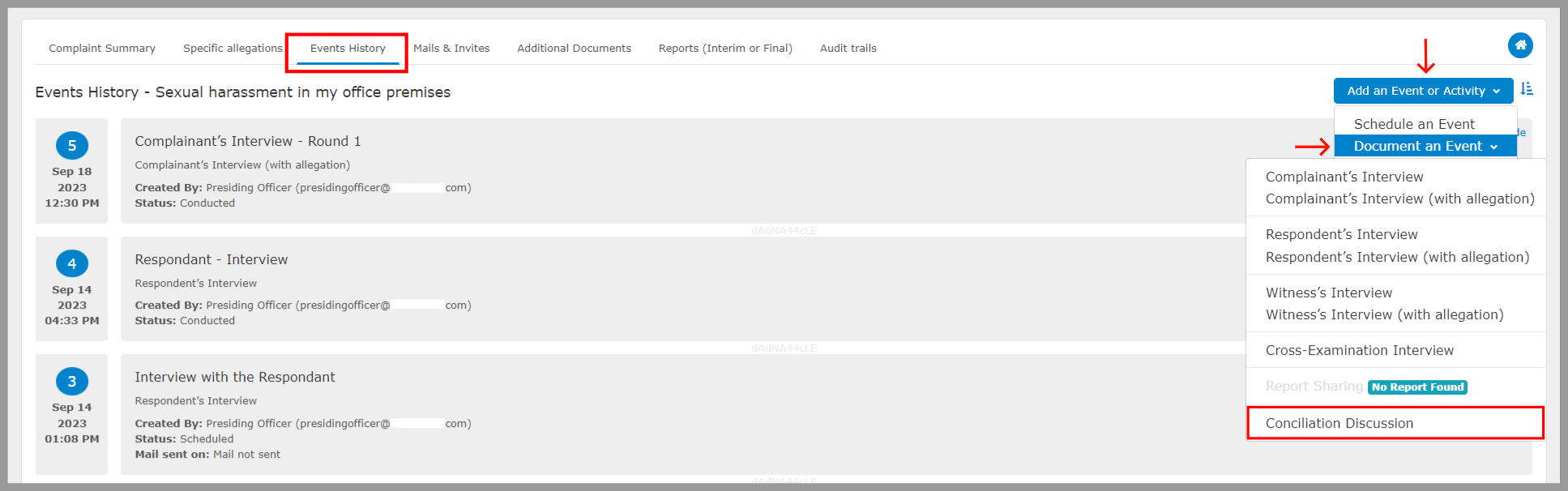 Step 2: Fill in the details of the meeting, including the panel member who attended the event, date, conciliation title, request for complaint, statement from the respondent, and Conciliation Agreement, then select “Save.”