How Can We Help?
Search for answers or browse our knowledge base.
Reports Sharing
This document provides the steps to share the Reports to the IC Members, Respondents, or Complainant.
Login to the Complaint Management system and view a complaint.
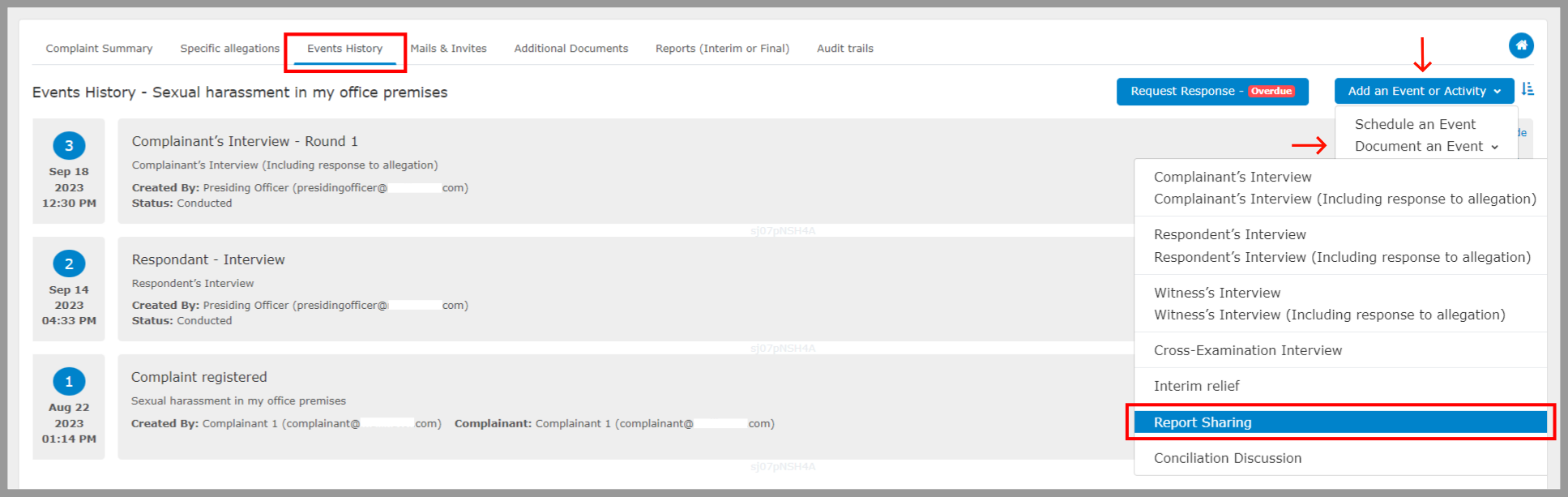
Step 1: Select “Events History”, select “Document an Event” under “Add an Event or Activity” and then select “Reports Sharing”.
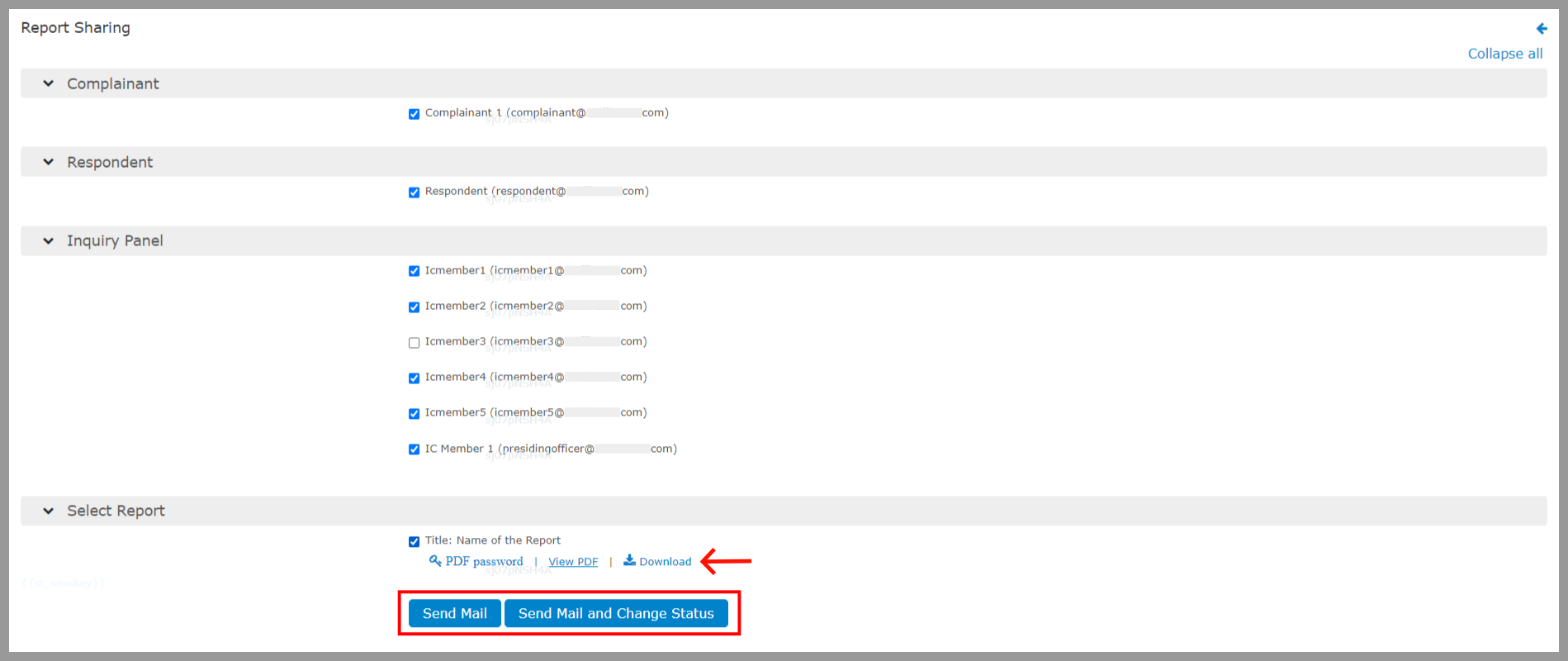
 Step 2: Select the members as per the requirement i.e. for whom the reports to be sent to.
You can also download the report before sending by selecting download option.
Click “Send” to send out the same reports via mail.